How to Hide Gaming Gear When Guests Come Over: A Practical Guide to a Setup That Disappears
Gaming setups are custom-built shrines of comfort, performance, and style. But let’s be honest: when guests drop by, that sprawling desktop with cluttered consoles, tangled cables, and glowing accessories can feel more like “gamer chaos” than “home harmony.” The question is, how can you design your gaming space so your gear stays accessible yet easily hidden, without compromising ergonomics or comfort? This guide will show you exactly how to create a setup that disappears — combining smart storage, space-efficient furniture, and real-life measurements—not hype about future gear upgrades.
Design Around Current Gear, Not Future Shopping Lists
One of the biggest mistakes in gaming space design is planning for gear you don’t yet own. Before diving into storage solutions, take a realistic inventory of what you actually use daily. Got three consoles? One high-refresh-rate monitor? A VR headset? This matters because:
- Size and volume: Consoles vary from slim units like the PS5 Digital Edition (~15.4” W × 10.2” D × 4” H) to bulky editions that change storage needs.
- Accessories: Controllers, VR gear, charging docks, headphones all occupy different spaces and require quick access.
- Desk peripherals: Monitor arms, custom keypads, racing wheels—some can be detached or folded away, some can’t.
Instead of imagining a future megasetup with multiple monitors or dozens of consoles, focus on what you actually use every day. Organizations like the Chartered Institute of Ergonomics & Human Factors stress the importance of habit-based design — meaning your workspace should optimize for current routines and comfort, not hypothetical gear collections.
Start with the Right Desk Depth and Viewing Distance
When hiding gaming setup clutter, don’t compromise on the fundamental ergonomics of your space. Desk depth and monitor viewing distance are critical to avoid neck strain, eye fatigue, and cramped movements.
According to research cited on DimensionzHub.com, ideal desk depths range from 24 to 30 inches for typical gaming monitors (24” to 27” diagonal), allowing around 20 to 30 inches of viewing distance. This supports comfortable viewing angles without excessive neck movement or squinting.
Monitor Size Recommended Desk Depth Optimal Viewing Distance 24" to 27" 24" to 30" 20" to 30" 28" to 32" 30" to 36" 25" to 35"If your current desk is shallower than 24 inches, consider upgrading or installing a monitor arm. As you’ll see below, these gadgets free up desk depth and help maintain ergonomic positioning even in small rooms.
Small-Space Ergonomics and Comfort: Making Movement Easy
One frequently overlooked factor is chair clearance and movement space. You might have the perfect cabinet to hide your consoles, but if your chair can’t slide back comfortably or if cables get caught, you’ll sacrifice usability for looks.

The Chartered Institute of Ergonomics & Human Factors recommends leaving at least 24 inches of clearance behind your chair for easy movement. This ensures you can recline, stand, or swivel without bumping into furniture or stepping on cables.
Keeping this clearance in mind when planning storage helps you design a setup that not only disappears visually but doesn’t turn your gaming sessions into spatial challenges. Remember:
- Ensure pathways are clear of wires — invest in cable clips or channels.
- Choose storage with easy access to gear to avoid awkward bending or pulling.
- Think vertical: wall-mounted shelves can declutter floor space without restricting legroom.
Storage Solutions That Help Your Setup Disappear
Cabinets for Consoles and Accessories
One of the best ways to cleanly hide your gaming gear is in a dedicated cabinet designed with ventilation and cable routing in mind. MRQ (mrq.com) specializes in modular cabinets that balance style with function:
- Console storage zones: Adjustable compartments that fit consoles from Xbox Series X to Nintendo Switch docking stations.
- Accessory drawers: Keep controllers, chargers, and cables organized and accessible.
- Ventilation grilles: Prevent overheating without noisy fans.
When choosing your dimensionzhub.com cabinet, measure your existing gear down to millimeter precision. Leave some extra room for cables and small accessories but don’t over-scale; a too-big cabinet ends up as wasted space and broken aesthetics.
Wall-Mounted Shelves for Gear and Decorative Items
Wall-mounted shelves are a multi-functional tool for hiding gear and showcasing collectibles, all while freeing desktop space. They let you:
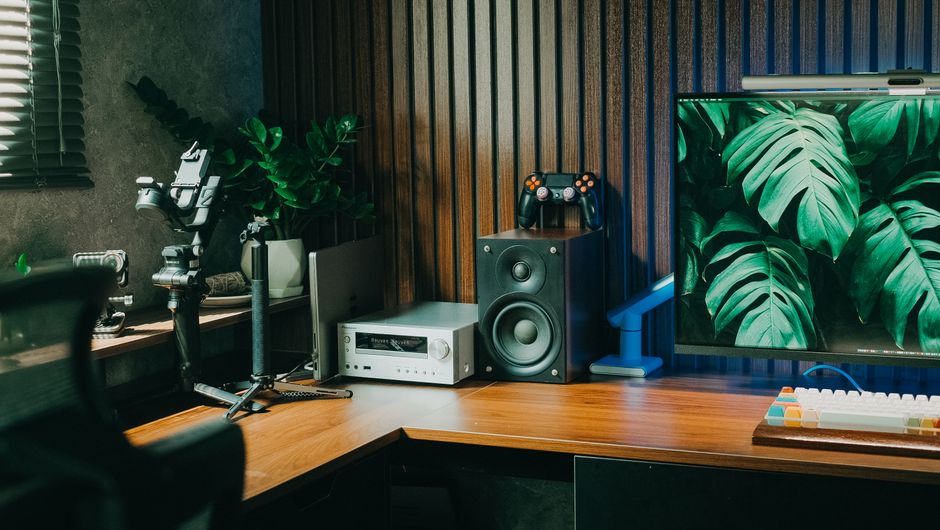
- Store larger consoles or router hubs off the desk surface.
- Display game box art, trophies, or decor to distract from tech clutter.
- Use vertical space, which is often underutilized especially in small rooms.
When installing shelves, be mindful of weight limits and cable routing. Place often-used items on lower shelves for ergonomic access and power outlets near docking stations to reduce wire visibility.
Using Monitor Arms to Maximize Surface Space
A monitor arm is a gamer’s secret weapon against clutter because it:
- Raises your monitor off the desk, freeing up surface area for keyboards, charging docks, and small storage trays.
- Improves viewing angles and desk ergonomics by enabling swivel, tilt, and height adjustment.
- Allows easier cable management by bundling wires along the arm’s mount.
Look for arms compatible with your monitor’s VESA mount size, with adjustable tension for different weights. DimensionzHub.com recommends arms with an adjustable reach of at least 20 inches to accommodate various desk depths and seating positions.
Tips to Keep Your Setup Neat When Guests Arrive
- Pre-planned quick hide spots: Use drawers or pull-out shelves for controllers and accessories for a just-in-time clean-up.
- Multi-use furniture: Benches with storage under the seat or ottomans with compartment space work well for living room gaming areas.
- Minimal visible cabling: Use custom-length cables, cable sleeves, and under-desk cable trays to keep wires invisible.
- Lighting control: Adjustable LED strips or dimmable lamps let you tone down the gamer glare when entertaining.
Conclusion
Creating a setup that disappears in your living or gaming room is less about hiding technology in secret compartments and more about thoughtful design grounded in your actual needs. By focusing on the gear you use daily, ensuring proper desk depth and chair clearance, and investing in smart storage like cabinets from MRQ, wall-mounted shelves, and monitor arms, you can maintain both comfort and a clean look.
Remember, the goal isn’t to pretend your gaming gear doesn’t exist—it’s about making sure it doesn’t dominate your shared space. With these practical measurements and design tips, your gaming setup can be as welcoming to guests as it is optimized for long sessions.
For more advice on workspace ergonomics and gear sizes, check out DimensionzHub.com, and browse modular cabinet options at MRQ.com. Your future self and guests will thank you!